
COURSE: GARAGEBAND, SOUNDTRAP & BANDLAB
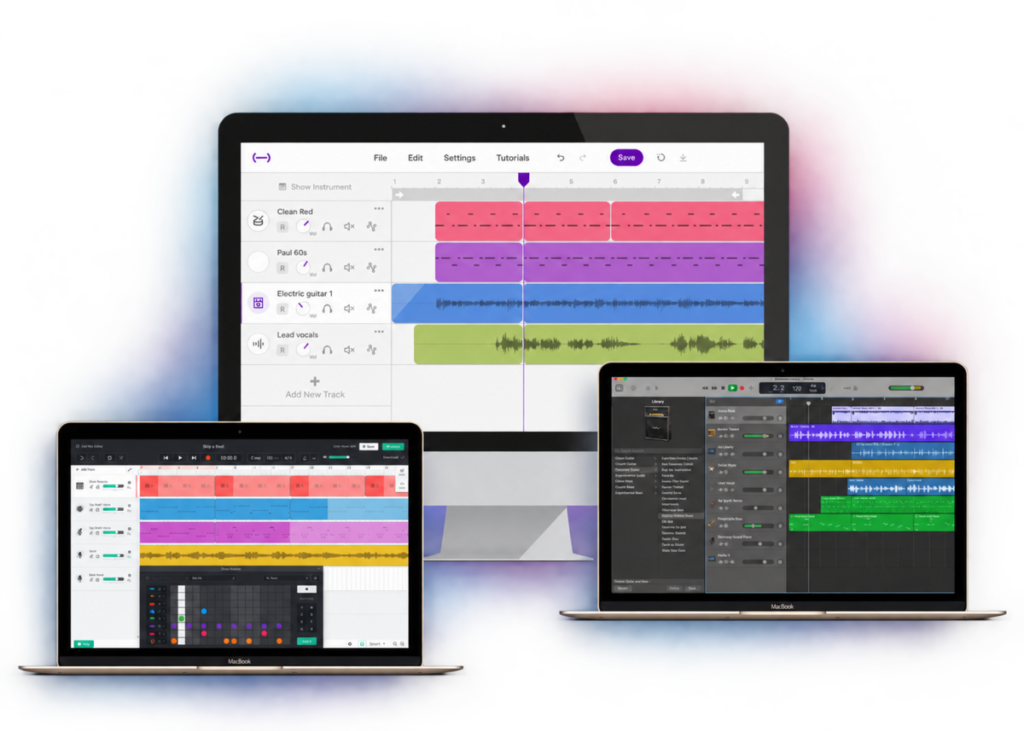
Build your confidence using GarageBand, Soundtrap and BandLab and discover practical, creative ways to use these powerful music-making tools with your students.
This course is included with your Midnight Music Community membership.
Learn at your own pace, anytime.
Certificate provided on completion.
No prior experience needed.
Ready-made tutorials your students can watch.
Practical projects for music teachers.
We’ve done the groundwork for you.
Learn the essential features of GarageBand, Soundtrap and BandLab, work through classroom-ready projects and give your students access to step-by-step video tutorials when it’s their turn to create.
You don’t need to be a music tech expert — you just need to be ready to give it a go.
See how the course works, what you’ll learn and the ready-to-use resources you’ll have at your fingertips.
Feel comfortable navigating GarageBand, Soundtrap and BandLab and using the essential features you need for classroom projects.
Create engaging projects using loops, MIDI, audio recording, editing, effects and other core DAW tools.
Understand the strengths of each platform so you can choose the best option for your students, devices and teaching situation.
Introduce essential music-production skills to students in a clear, manageable way without needing to be a tech expert yourself.
Modify projects to suit different ages, experience levels, available technology and classroom needs.
Walk into your lessons with practical project ideas, student-ready tutorials and resources that make implementation easier.
Choose the software you use, then follow the course your way.
GarageBand, Soundtrap or BandLab
Complete the relevant Module 1 tutorials
Work through six creative classroom projects
Build your foundation with essential skills in GarageBand, Soundtrap or BandLab.
Lorem ipsum dolor sit amet, consectetur adipiscing elit. Ut elit tellus, luctus nec ullamcorper mattis, pulvinar dapibus leo.
Complete the course at your own pace while building practical music technology skills you can apply directly in the classroom.
You’ll receive a professional development certificate on completion, documenting 16 hours of contact time and coursework.
Receive a professional development certificate when you complete the course.
Work through the course when it suits you.
Includes 16 hours of contact time and coursework.

Hear from music teachers who have used the course to build their confidence, develop their music tech skills and bring creative new projects into their classrooms.

Hi, I’m Katie Argyle, founder of Midnight Music.
I’m a music technology trainer and educator, and I’ve spent years helping music teachers confidently use technology in practical, creative ways with their students.
This course is designed with real music classrooms in mind — focusing on the skills you actually need, practical projects that work with students, and straightforward tutorials that make music tech easier to teach.
The GarageBand, Soundtrap & BandLab course is included as part of your Midnight Music Community membership.
Join the MMC and you’ll get immediate access to the complete course, along with a growing library of professional development courses, webinars, classroom resources, lesson ideas and practical music tech training — all created specifically for music teachers.
And because your membership gives you access to the entire library, you can keep learning long after you’ve completed this course.
Get immediate access to this course and the entire Midnight Music Community library. Choose the membership option that suits you best and start learning today.
$49 usd/mth
$39 usd/mth
Instant Access • Cancel Anytime • Everything Included
We want you to feel confident that MMC is the right fit for you. Explore the course, take a look around the membership and start putting the resources to use — with the reassurance of our guarantee.
Join risk-free knowing that if you don’t feel you’ve received your money’s worth from the training materials, lesson plans and community support, you won’t lose a thing.
Simply email our support team during your first 30 days, with proof that you’ve done the work, and we’ll refund your payment in full.
You’re probably not the only one. Here are answers to some of the things music teachers ask us most often about the course and MMC membership.
need help?
Then you will be amongst friends 🙂 This course assumes no prior knowledge and everything is explained clearly, without “tech-speak” or jargon. The aim is to get you started quickly and easily in a friendly and supportive environment.
The courses and training materials are all pre-recorded. The first modules will be available from 11 July 2022 with remaining modules released during the following weeks. You have ongoing access to all materials for as long as you have an active membership to the Midnight Music Community and you can go completely at your own pace. There are no deadlines!
The course videos can be watched at any time day or night. You can also re-watch each one as many times as you like, which is perfect if you need a refresher down the track!
You will need to have ONE of the following:
*Note for iPad users: the GarageBand app on iPad is quite different to the desktop Mac version. This course is designed for the Mac version, but if you’re interested in learning about the iPad version I already have a separate course which is specifically designed for that. You can access that course (and all other Midnight Music courses) inside the Midnight Music Community.
This course is designed for the Mac/desktop version of GarageBand – not the iPad app (which is quite different). Most of the projects in this course could be adapted for the iPad app so if you are confident doing that, feel free to join us!
The good news is that if you’re interested in learning about the iPad version of GarageBand I already have a separate course which is specifically designed for that. You can access that course (and all other Midnight Music courses) inside the Midnight Music Community.
No, not at all. You can do this entire course just using your laptop, the inbuilt mic and some (wired) headphones.
If you’d like to know more about mics or MIDI keyboards with a view to purchasing something for yourself and/or for your students, there will be information available in the first module of the course and also in the pre-course materials (in case you want to purchase something ahead of the start date).
Yes! A professional development certificate which outlines the contact hours and “homework” hours is offered for this course (and every other Midnight Music course).
This course is ONLY available via a subscription to the Midnight Music Community (MMC). The good news is that if you join the MMC for this course, you will instantly gain access to ALL the other courses inside the MMC. There are no deadlines – everything is available for as long as you have a current membership.
If you are already a member, you don’t need to do anything! You will get access to the course materials as soon as they are live.
I tried one-off course payments when I first started running online courses back in 2012. It was ok, but there were a couple of problems. Firstly, teachers wanted ONGOING access to the course materials – longer than the 6 months I was able to grant them with the old setup. Secondly, some teachers also wanted to take 2, 3, 4 or sometimes 5 of my courses (I had 3 teachers do a total of 5 courses each over a couple of years and many other do 3 or 4 courses!) and the cost involved in paying for each one separately was mounting up.
With the Midnight Music Community subscription plan, you choose: you can pay for access for as long as you need it and instead of being forced to select just one single course, you are able to access ALL the courses and resources at once. That way you can choose to study what is important to you at any given time.
In the past, access to just ONE online course was around $200 and if you come along to one of my full-day workshops you’ll pay around $180-$300 per teacher. The annual cost of joining the Midnight Music Community for a FULL 12 MONTHS is less than $500 and if you need a more affordable option you can pay by the month. In addition, you get daily access to me – ask questions and share your frustrations and the I’ll do my best to solve them for you.
There are two payment options.
You can cancel your membership at any time. Just make sure you do that a few days before the next payment is due.
The course modules will be released during July and August 2022:
Each module includes video tutorials, teacher tips and walkthroughs and a project that you will do for “homework”.
The time length of each module varies, but if you’d like a ball-park amount (!) there is roughly 1 hour of “contact” time (videos, sharing work) and 1-2 hours of “homework” time per module.
Build your confidence with GarageBand, Soundtrap or BandLab, discover classroom-ready projects your students will love, and get the tutorials and resources that make them easier to teach.
Everything you need to get started is waiting for you inside the Midnight Music Community.
Get instant access to the GarageBand, Soundtrap & BandLab course + the complete MMC library.
