

This is a guest post by one of our blog writers, Katherine Miller, and her colleague, Jennifer Theisen.
Introduction
In 2017, the National Association for Music Education (NAfME) in the United States officially changed their position statement regarding equity and access in music education. Their position states “All students deserve access to and equity in the delivery of music education, one of the subjects deemed necessary in federal law for a well-rounded education”.
Their position means all students, regardless of race, ethnicity, disability, economic status, religious background, sexual orientation and identity, socioeconomic status, academic standing, exceptionalities, or musical abilities, can participate in the making of music within their school.
As music educators, we know and live the importance of music education in our day to day lives. However, not every learner who enters our music classroom can learn or even create music in the same way. Many times we can address exceptionalities by adjusting our own instruction to help students access musical activities and active participation.
Examples of this are adapting instruments, modifying materials to include visual cues, using multiple senses in teaching an idea/concept and adjusting repertoire. However, we have the challenge of finding a meaningful way to allow each learner to add their own creativity to our classroom too. Technology can be very useful in making this happen. An example of this is the Creatability Experiments.
The Creatability Experiments, designed by the NYU Ability Project in collaboration with Google, has set their sights on using technology to make creative tools accessible for all.
What are the Creatability Experiments?
The Creatability Experiments are a series of starter experiments that won the 2019 Design Grand Prix at the Cannes Lions Festival of Creativity. The experiments are made accessible to all through artificial intelligence, or AI, technology.
AI is an area of computer science that focuses on the creation of machines that can work and react just like humans. In this case, the use of AI design allows users of these experiments to have multiple options for inputs including a pen/stylus, mouse/keyboard, microphone, and even body tracking. The only equipment that is needed is access to the Internet, a browser and a webcam.
You can learn more about the project by viewing this introductory video:
Although the purpose of the Creatability Experiments was to increase creative accessibility to users with unique exceptionalities, the experiments are not just for special needs students. The experiments are good for all students, especially younger ones.
What are the experiments and how do they work?
Currently, there are 7 experiments available for users to interact with. If you are a user of the Chrome Music Lab already in your music classroom, you will notice some similarities in the ability of the experiments but with the increased input options.
For instance, each experiment can be activated or controlled in a variety of ways including keyboard/mouse and body tracking of your nose, wrist, elbow, knee or ankle. You can choose the option that works best for the student from a menu within most experiments. The developers recommend using Chrome on a desktop PC or Mac for the best experience. However, most features also work on tablets.
Here are the experiments you can access today:
Keyboard
Keyboard- a simple barred keyboard that looks much like the colored bells often used in elementary music classrooms. An added bonus to this keyboard is the colors correspond to Boomwhackers too!
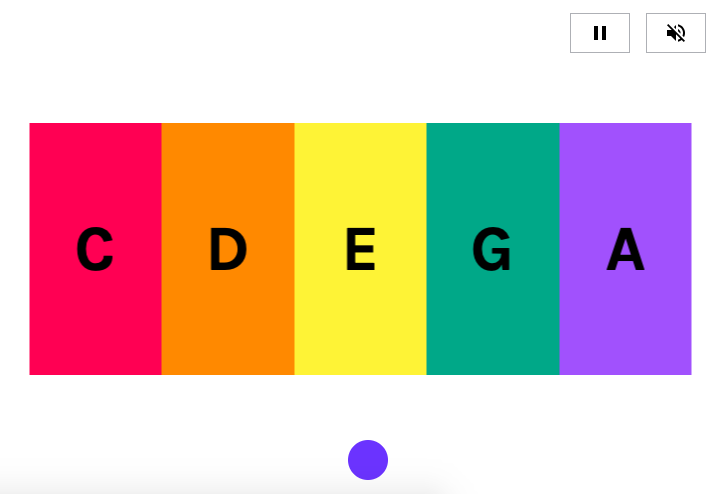
Options:
- Sound (marimba, piano, guitar, synth, strings, choir)
- Scale (pentatonic, major, minor)
- Root Note
- Amount of notes
Sound Canvas
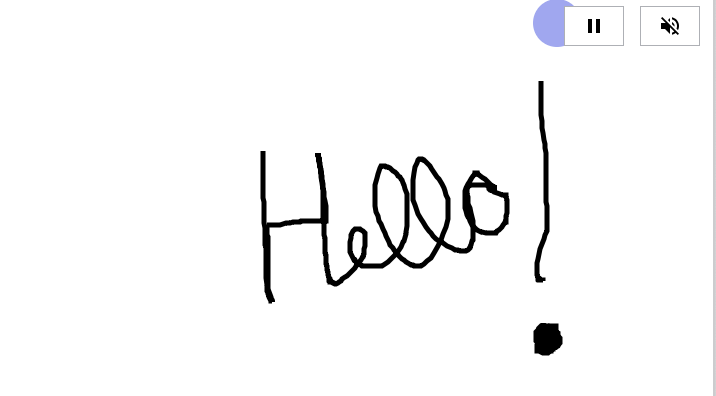
Sound Canvas – is a drawing tool. The user can draw on the screen using multiple inputs and receive immediate real time feedback. This would be a great option for non-visual learners as stated in the introductory video.
Body Synth
Body Synth – is a way to make music by just using your body! This can be used with one or multiple people at the same time. This could allow anyone with large motor body movement the ability to create with sound.
Body Synth allows students to work with their peers on the same project, nothing needs to be modified for one or the other. They are working together toward a common goal, regardless of their abilities.
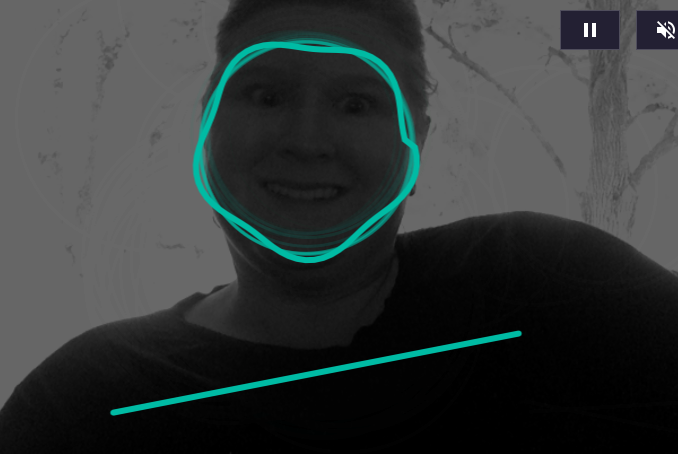
Options:
- Sound (guitar, synth, strings, drums)
- Chords
- Motion Sensitivity
Seeing Music
Seeing Music – allows you to visually experience music. Students can experience volume, emotion, intensity, and pitch in this experiment using the microphone or a MIDI keyboard. This experiment is great for students with low vision, given the color scheme.
Some students with specific visual impairments see black background with bright colors better than white background. This is a built in accessibility feature for them. Additionally, this experiment is a great cause/effect tool. Students that use switches to activate a cause/effect toy would be able to see that if they make noise with their mouth, they can make bright pictures.
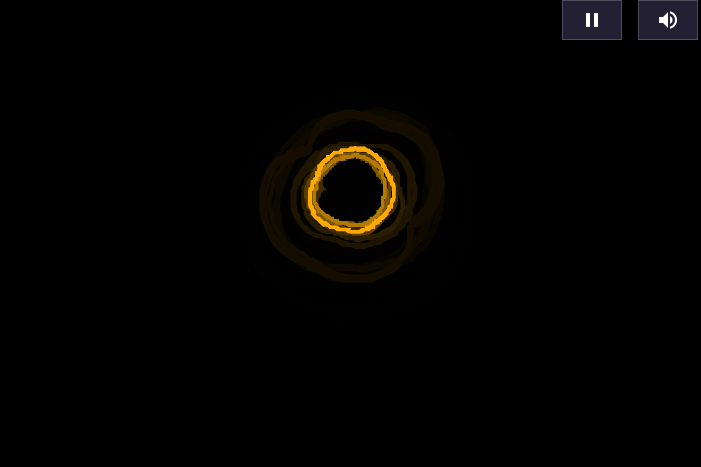
Options:
- Visualizations (melodic, harmonic, dynamic including waveform)
- Color/Black and White
- Grid/Notes (tuning absolute pitch)
Clarion Lite
Clarion Lite – is an introductory musical instrument. It allows users to select a pattern of pitches to play.
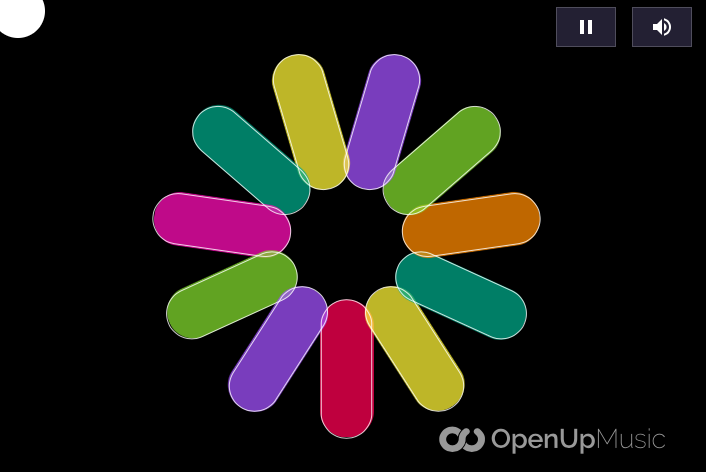
Options:
- Sounds (woodwind, synth, marimba, piano, strings)
Sampler
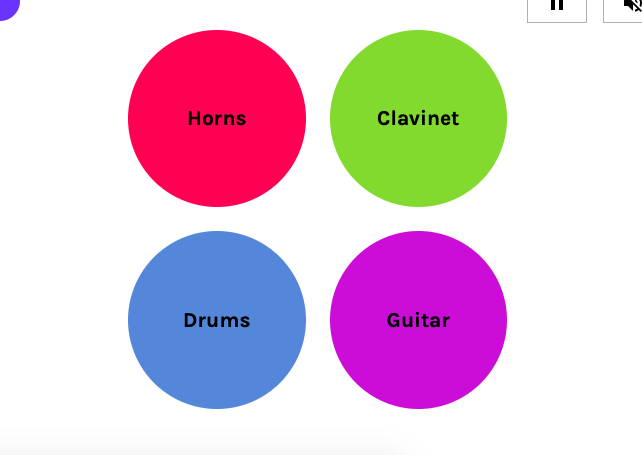
Sampler – a simple music sampler that has pre-recorded samples in various styles. It also allows for adding custom sounds by adding any sound file you have. This makes for unlimited options!
Word Synth
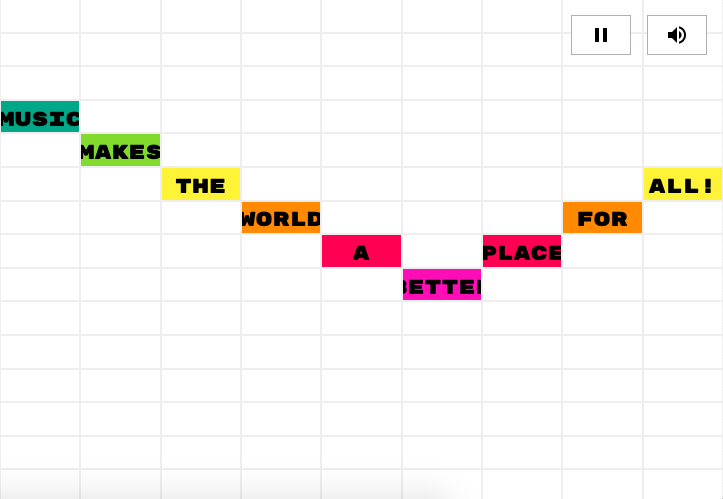
Word Synth – a fun way to play with words and sound. The user inputs text which can then be manipulated to change tempo, vocal timbre, pitch and duration.
This experiment might allow nonverbal students an additional to participate in a call/response or in songs that have repeated lines. It could be set up for them ahead of time with the correct words and when their moment comes up in the song, they could activate the word synth.
Options:
- Scale (major, minor, pentatonic, chromatic)
- Root Note
You can visit all the experiments at Experiments with Google – Collection: Creatability
How you could use these sites in the classroom with your students?
“The Creativity Experiments will allow for students to be included and participate in a way they have never been able to do”. The licensed adaptive technology specialist in my building, Jennifer Theisen, works daily to help students with many different kinds of exceptionalities utilize technology.
She said that the biggest challenge for many students is not wanting to look any different from their peers. For instance, technology has many accessibility features to help students with classroom activities like reading a book. However, using an iPad to read makes them LOOK different than their peers who are using an actual printed resource.
Projects like the Creativity Experiments allows students who can’t always participate to have a universal way to be part of the class without looking any different. In fact, everyone can do the same thing!
The ideas for incorporating the Creativity Experiments are endless as they could be used in all aspects of our curriculum to help make active music making accessible to all students.
To help narrow down some ideas that you could utilize in your classroom right away, I looked to my colleague Bryson Tarbet. Bryson is a colleague who shares my love of technology and exceptional learners. He has shown through his work in Ohio that he believes every single student can make music and every single student can be musical.
1. Students can create.
- Use the Keyboard experiment in replacement of any activity you might use classroom colored bells or even Boomwhackers! This experiment could be used like any other pitched percussion instrument in your classroom
- Use the Body Synth to explore different kinds of movement or to create using body percussion
2. Students can demonstrate their understanding of content vocabulary.
- Clarion Lite can allow students to create a song that mimics a style you are studying like a lullaby
- Use the Sampler sounds in a specified form (ABA, Rondo, etc.) to reinforce learning of how music is organized
3. Students can experiment with sound.
- Allow students to use their voice to create sound waves using the Seeing Music experiment. Challenge students to see how they can make them small. Or how they can make them tall!
- Create your own interactive vocal explorations by watching the pitch go up and down as they make sounds in Seeing Music.
4. Students can incorporate their own individual preferences in music.
- Have students use the words from their favorite song in the Word Synth. Allow them to experiment with tempo and voice timbres.
- Use the Sound Canvas to have students write their name. Have them think about questions like “Do you like the sound? Why or why not?”
For even more ideas, check out Bryson’s Chrome Music Lab Music Task Cards.
Conclusion:
Creativity, along with communication, collaboration and critical thinking, are seen as skills that are required for success in the 21st century. Innovations, like the Creatability Experiments, can help educators to continue to make all learners a part of a rich music education.
All students deserve access to and equity in the delivery of music education. The hope of this project is to inspire other people will build on what has already been started. There is an open invitation, and Google has open sourced the code, for innovators to build upon these ideas and push the boundaries of what code can do to continue making creativity accessible to all.
Other articles/resources
- Chrome Music Lab | Electronic Music Task Cards
- Google’s Creatability project taps AI to make creative tools more accessible
- Google’s open-source accessibility suite grabs top design prize at Cannes
Download your copy
Would you like to take a copy of this with you? Click the button below and a copy of this will be sent directly into your inbox.
About the Writers

Katherine (Katie) Miller holds a Bachelor of Music in Education degree from Otterbein University (Westerville, OH) and a Master’s of Educational Leadership from Antioch McGregor Midwest (Yellow Springs, OH). She has 14 years of professional musical experience as a music educator and performer.
She is currently employed by the School District of Waukesha in Waukesha, WI where she teaches K-5 General Music and serves as a district model tech classroom.
You can connect with Katherine Miller on Twitter: @K8TMiller and on Instagram: @k8tmusicmiller
A note from Katherine: “A special thank you to Jennifer Theisen for collaborating with me for this blog post! Her expertise was invaluable to seeing all the ways Google Creatability Experiments can help to make all students a part of my elementary music classroom.”

Jennifer Theisen is a Speech Language Pathologist and Assistive Technology Specialist in the School District of Waukesha, WI.
She received her Assistive Technology Certificate from the University of Wisconsin, Milwaukee in the summer of 2014 through an Evidence-Based Technology Integration (ETI) grant.
This is her eleventh year working at Hadfield Elementary School and her fourteenth year working in the School District of Waukesha.
Prior to this, she worked as a Speech Language Pathologist for CESA 1 servicing students through an early childhood special education classroom in northern Milwaukee county.
Looking for More Resources for Music Teachers?
Hello! I’m Katie Argyle – an Australian music technology trainer and consultant with a passion for helping music teachers through my business Midnight Music.
I’m a qualified teacher but no, I don’t currently teach in a school. I help teachers through my online professional development space – the Midnight Music Community – where there are tutorial videos, courses, links and downloadable resources.

I like to focus on easy ways to incorporate technology into what you are already doing in your music curriculum through a range of creative projects. I also run live workshops and have presented at countless conferences and other music education events.
If you want simple, effective ideas for using technology in music education, I would LOVE to help you inside the Midnight Music Community.


One Comment
[…] introduces a minimalist musical keyboard that embraces unconventional inputs. Engage in a musical experience by playing the keyboard using your face, body, mouse, or traditional keys. Unlock the […]