

This is a guest post by one of our blog writers, Sarah Joncas.
As we get back to school, many of us will be teaching with online tools, at least some of the time. Learning Management Systems (LMS) are tools that allow teachers to provide content, collect student work, and give feedback online.
There are many different LMS, and often teachers will be told which one to use by their school. That doesn’t mean you don’t have choices within the LMS though! No matter which LMS you’ll be using, there are some important decisions to make that will help set you and your students up for success.
Co-Teach or Independent?
For music teachers who see entire homeroom classes of students, some LMS allow you to be a “co-teacher” in a class with others who share the same students. Typically, a student can also be in multiple classes, so each teacher can have their own independent classes within the LMS. Some schools try to combine “specials” like art, music, PE, and library into one class within the LMS.
My personal preference, no matter which LMS I’m using, is to have my own classes. That way, I can set things up the way I want them, and ensure that I see notifications and give feedback on all assignments. It’s much easier to keep track of everything when I know how it’s organized and where to find what I need. This is something you’ll want to coordinate with your school colleagues on.
In order to support students in navigating between their different classes, making a quick tutorial video is a great idea. Walking students through how to get to different classes will make things easier for everyone. You can read how to create simple teaching videos and try it out for your LMS.
By Course or By Section?
If you’re like me, you teach more than one section of a given course. For example, I have four sections of fifth grade general music. I could put all those students in one class within the LMS, or I could split them by the day that I see them.
The advantage to grouping by course is that you’ll only have to post assignments and resources in one place. The advantage of grouping by section is that taking attendance will be easier, as will keeping track of due dates. Most LMS make it easy to copy over content from one class to another. I prefer to group by section to keep things more organized for myself, and to ensure that transferring from the LMS to the report card system is easy for me when the time comes to give grades.
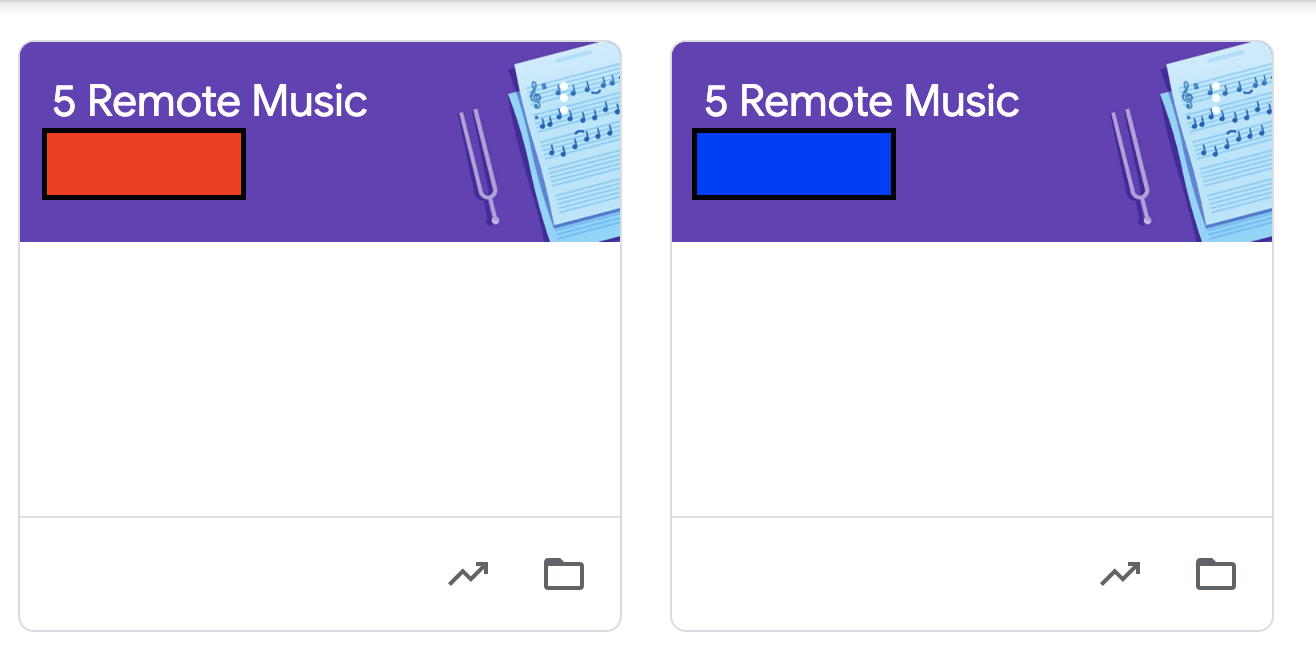
Here’s an example of how I have some of my Google Classrooms set up – both of these are fifth grade general music courses, but two different sections (under the red and blue boxes are teacher names for their homeroom teachers, covered for privacy). I often “reuse posts” from one Classroom to the other, while keeping them separate to make it easy to organize due dates and student work.
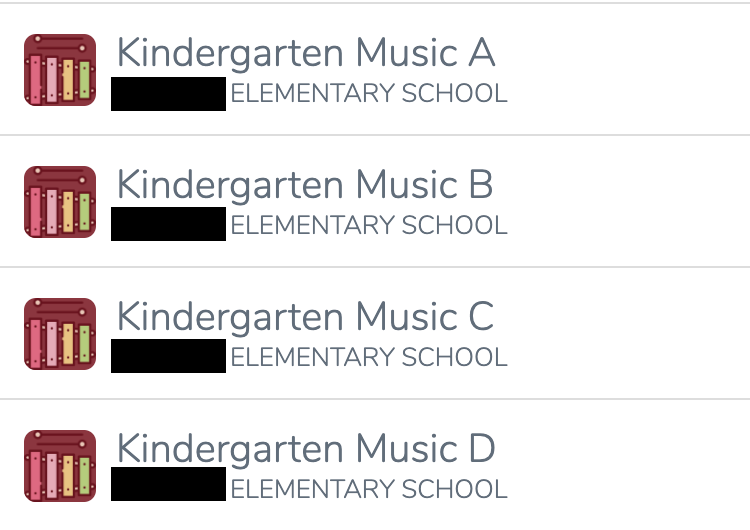
Similarly, in Seesaw I have classes organized by section. I use the same icon for the same course to help me stay organized.
How to Organize Content?
In Google Classroom, there’s Topics, in Canvas, there’s modules, in Seesaw, there’s folders. All of these are basically ways to keep things organized. Some people choose to organize by week or month, others by topic, and some simply post things and don’t group them at all.
In my experience, grouping by week or month makes things the easiest for students. It gives them one easy place to look for what they need, and makes sure that the assignments they should be working on appear first. Of course, for certain courses that are more self-paced another form of organization may work better, so consider what will make the course easy to navigate given how students will be learning.
What’s Within the System?
Often, there are some tools or assignment types which are built in or integrate closely with the LMS. For example, Google Classroom tends to work well with Google Forms, Docs, Sheets, Slides, and so on. It’s a good idea, when making fairly generic assignments, to try to use tools within the system of the LMS, rather than adding additional apps and steps.
Keeping things simple will help you and the students focus on learning rather than tech trouble. Students (if they’re using the same LMS in other classes) are likely already familiar with the LMS tools, and won’t have to remember another sign-in or download additional apps. Yes, it may take awhile to transfer some content over if you’ve used another LMS before, but it will save time answering questions and helping students figure out how to complete an assignment that requires many steps to set up.
I’ll be exploring this myself this year, as some of my students will be moving into a different LMS this year. I plan to recreate as I go, taking assignments I have in Google and moving them over to SeeSaw to make them easy for the students to complete.
Of course, there may be times that you need a music tool that simply isn’t part of the LMS. In that case, consider using a tool that offers Single Sign On (SSO) with your LMS, or at least limiting the number of different tools you’ll be using.
How Can I Simplify?
Simple is good, especially as we all learn new technology tools for teaching online. Can you make sure your Zoom link is always at the top by pinning a post? Can you make a video reminding students how to start an assignment so that you don’t have to continually teach this skill live? Can you make two assignments that cover different concepts and use the same technology tools so that students can focus on content rather than technology?
Yes, there are many fancy ways to use technology tools for music learning, but sometimes less is more. You can always add more technology tools once students get the hang of things, but starting simple will set them up for success and allow them to learn just a few tech skills at a time.
What Devices Will My Students Use?
Different devices can interact with various LMS in slightly different ways. For example, on some LMS it’s difficult to get to all features on a phone. Additionally, hand-writing on screen is much easier on a tablet or phone than on a Chromebook. The devices your students use may determine how you want to set up some assignments – for typing vs. handwriting. Don’t forget to check compatibility without Flash too, as soon Flash will no longer be available in major browsers.
What Resources Are Available?
It’s always good to know where to look for help with your LMS, especially for music-specific ideas. Most major LMS have online support and FAQs, which can be helpful for many functions. Your school may also offer training for their preferred LMS.
There are also Facebook groups for music teachers using many different LMS. Here’s a few of my favorites:
- GoogleClassroom for Music Teachers
- Seesaw for Music Teachers
- Schoology Music Teachers
- Canvas For Music Teachers
Also useful are these Facebook groups:
The Midnight Music Community is also a good resource for music teachers figuring out how to use their LMS.
Conclusion
There’s a lot to think about when setting up your LMS. With some planning and research, you can teach music well with whatever LMS you’ll be using this year. It’s important to consider how to make the learning simple for students, and to make sure that you’re using the LMS to support learning rather than adding another new flashy tech skill.
I hope you have a great school year! Let us know what LMS you’ll be using this year down in the comments.
Download your copy
Would you like to take a copy of this article with you? Click the button below and a copy of this will be sent directly into your inbox.
About the writer

Sarah Joncas is a music teacher from Massachusetts, USA. She teaches kindergarten through fifth grade general music, fifth grade chorus, fifth grade band, and percussion ensemble. Before becoming a teacher, she worked with technology and educational software.
In 2014, she was named a TI:ME Technology in Music Education Leadership Fellow, which allowed her to attend a music education conference in Texas and explore cutting edge music teaching technology. She has earned degrees in Music Education from the University of Massachusetts Amherst and Boston University. You can connect with Sarah on Twitter or her blog Teaching Music Musings.
Looking for More Resources for Music Teachers?
Hello! I’m Katie Argyle – an Australian music technology trainer and consultant with a passion for helping music teachers through my business Midnight Music.
I’m a qualified teacher but no, I don’t currently teach in a school. I help teachers through my online professional development space – the Midnight Music Community – where there are tutorial videos, courses, links and downloadable resources.

I like to focus on easy ways to incorporate technology into what you are already doing in your music curriculum through a range of creative projects. I also run live workshops and have presented at countless conferences and other music education events.
If you want simple, effective ideas for using technology in music education, I would LOVE to help you inside the Midnight Music Community.


One Comment
Very Nice Blog…Thanks for sharing this information with us. Here am
sharing some information about Our Software Company
College Management System in Malaysia