

The “harmony builder” challenge
The harmony builder challenge has been a popular trend on Tiktok for a while now and the most well-known example is a snippet from the Grace Kelly song by Mika.
In a harmony builder, all the parts of a song section are built up one by one, usually from the lowest part to the highest.
There are many versions of the Grace Kelly example but the version by Ryan Reynolds and Will Ferrell has gone truly viral.
You can jump on this trend with your students by having them learn the parts of a song snippet and then record the parts in a multitrack recording software app.
Software options include:
- Soundtrap for Education (pictured below)
- Bandlab for Education
- GarageBand on iPad
- GarageBand on Mac
- and lots of others!
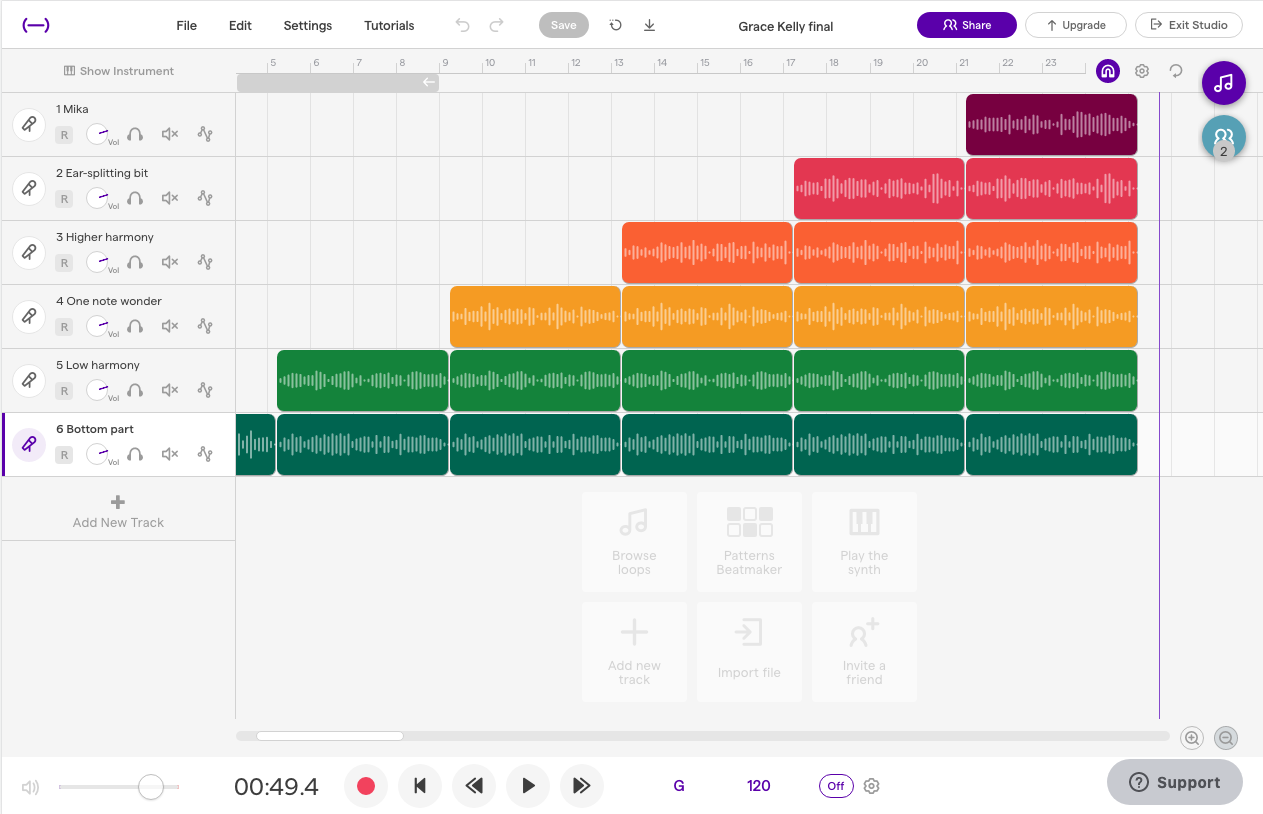
TikTok harmony builder tutorial video
In this video I’ll show you how your students can use Soundtrap, Bandlab or GarageBand to record their own harmony builder challenge.
Recording checklist
- Plug in mic (if you’re using one)
- Open software (Soundtrap, Bandlab, GarageBand or other) and start a new project
- Set up an audio track for each part you will record
- Optional: rename (label) the tracks so you can easily identify them
- Set the tempo
- Set the time signature
- Set the key
- Turn on the metronome and check the count-in
- Make sure your mic is selected as the input device
- Test your levels
- Select the first track you will record
- Press record and wait for the count-in
- Sing! (or play) and press stop when you’re done
- Check your recording. Delete and re-record if necessary
- Select the next track you want to record and repeat the process
Copy and paste your recorded regions
- Tidy up the ends of the regions – trim unwanted extra space at the beginning or end
- Copy and paste the lowest part (the total number of times should match the number of parts in your song)
- Copy and paste the next part, starting at the second repeat
- Repeat for the remaining parts to create a staggered entry effect (as shown in the video)
Download resources here (sheet music)
Click the button for a copy of this post, along with a link to my Google Slides presentation that includes the mixed and treble voice versions of the Grace Kelly song which are pictured below.
BONUS: there are two additional songs in the Slides presentation:
- Bohemian Rhapsody
- Fix You
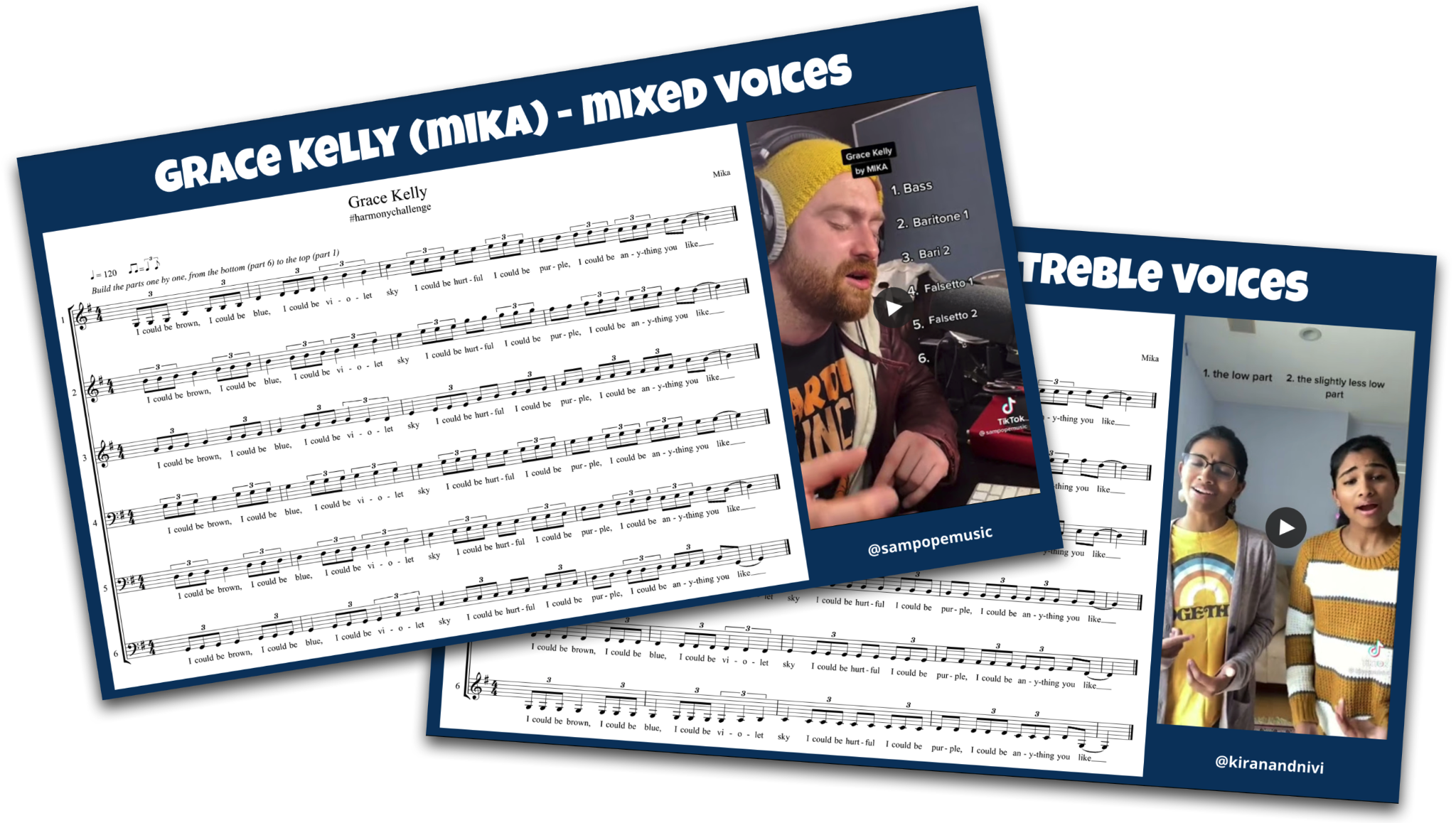
TikTok videos mentioned in Slides presentation
- Sam Pope: Grace Kelly
- Kiran and Nivi: Grace Kelly
- Ryan Reynolds and Will Ferrell: Grace Kelly
- Sam Pope: Bohemian Rhapsody
- Justin Moore: Fix You
Looking for More Resources for Music Teachers?
Hello! I’m Katie Argyle – an Australian music technology trainer and consultant with a passion for helping music teachers through my business Midnight Music.
I’m a qualified teacher but no, I don’t currently teach in a school. I help teachers through my online professional development space – the Midnight Music Community – where there are tutorial videos, courses, links and downloadable resources.

I like to focus on easy ways to incorporate technology into what you are already doing in your music curriculum through a range of creative projects. I also run live workshops and have presented at countless conferences and other music education events.
If you want simple, effective ideas for using technology in music education, I would LOVE to help you inside the Midnight Music Community.





4 Comments
What an excellent activity!
I’ve got myself set up with Soundtrap, mics, and all the necessary tools to start with my students. I’ve downloaded your resources, and we’re ready to get started but your audio files will not play on any of my audio players. I’ve even downloaded various players but with no success.
Any suggestions?
Thank you.
Thanks – I’m glad you like it! I have a lot of fun whenever I do it and I think students would get a kick out of it too
Any suggestions on how to play the audio files?
Do you mean the embedded videos in the Google Slides document? If you’re in edit mode for Google Slides you might need to click twice on the video (once to select, and once to play). In presentation mode it should be just once.