


Overview:
Gratitude is something that is so important. In the 2020/21 school years, teachers had to relearn everything about what it means to be a teacher. Knowing this, I was curious, what were the tech tools and websites that they’ve discovered during this season of pandemic teaching that they will take with them and that they feel better for learning?
I shared this question in several teaching groups on Facebook:
“During 2020-2021, teachers were thrown into the deep end when it came to using technology in their classes. I’m sure many of you would be more than happy if you never saw Zoom or Google Meet again, but what were the tech things you discovered that you’re going to hang on to? Was there a new tech tool you learnt about that you continue to use even though you might be teaching in person again now?
Or – which of your tried and true tech tools proved to be even more useful than you thought they were?
Maybe you have a new-found love for Google Slides or the Chrome Music Lab. Did you discover Canva for the first time? Or Soundtrap, Bandlab or GarageBand?”
I received responses from several teachers and wanted to share them with you.
Teacher Replies
Elliot Corner
“Practopus! [It’s a} practice app for students where they earn in app currency for practicing on a timer. Changed my life ????”
Hollie Mendenhall
“This is a bit silly, but precovid, I had no idea how to insert links into text and pics. That was a game changer in spring 2020 on my choice boards.”
Rachel Edie Warrick
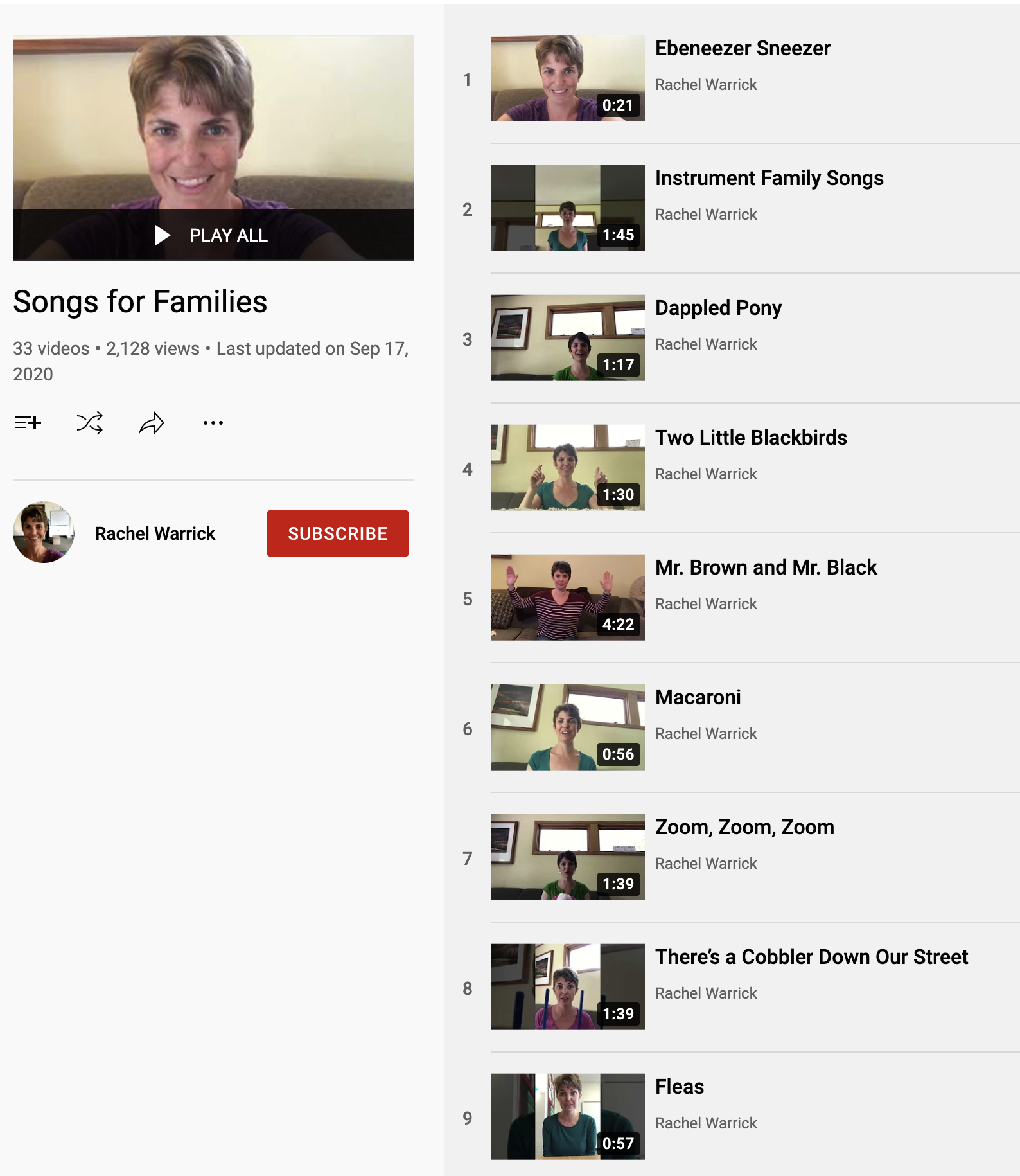
“My school started using Seesaw, and I have kept it this year for kiddos to do music at home. I put videos on there of songs we are working on, or post activities. I have gotten some positive comments from parents and I also think it’s good for the kiddos to see my face since they usually see me in a mask.
Also, in order to share books live during the pandemic, I made books into Google slides and I am still doing it because then everyone can see and I can move around the room while reading to them if necessary.????”
Check out Rachel’s Youtube Channel HERE
Sarah Dietrich Amrein
“So the thing that has forever changed my teaching is adding the – [dash] to YouTube links (yout-ube) . I will never teach without that trick ever again. But last year I learned the art of the green screen and although I would like to never make a teaching video ever again – I am very capable at iMovie and it’s little tricks and I am much more versed in uploading into YouTube.
I am making digital concerts for this year – nothing fancy, just recording classroom videos – but the iMovie skills I procured last year have made my videos so much easier to make this year!!”
Are you feeling lost when making videos? Click here to check out the Video Creation for Music Teachers Course inside the Midnight Music Community.
Jan Ruscoe
“Learning platforms like Showbie – prior to Covid, we only had the Department system, which is difficult for primary students to log in to. Their login includes email addresses a mile long! Also this system is hard to navigate and you can’t upload anything over 50MB. Having a kid-friendly platform was fantastic during Covid and we are continuing to use it.”
Thierry Simard
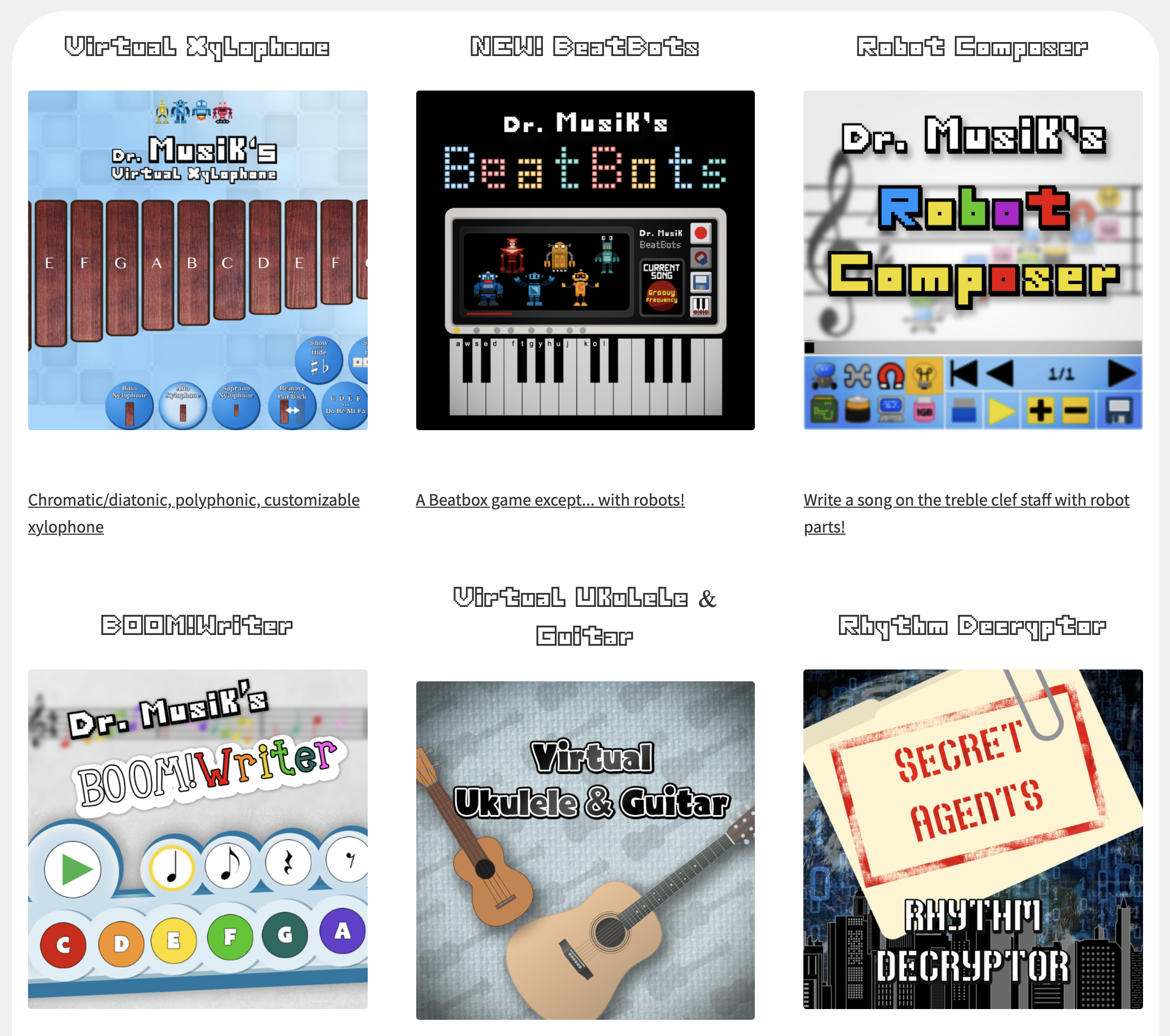
“I needed a virtual xylophone so I made my own. I ended up being addicted to programming and made a whole bunch of apps and games which I now share on www.doctormusik.com”
Check out Thierry’s website: www.doctormusik.com
Looking for more music games ideas? Here are other blogs about games/activities to play in the music classroom:
- Blooket: A New Take on Trivia and Review Games
- Tech Games in the Music Classroom
- 7+ Fun Icebreakers for the Beginning of the Year In the Secondary Music Classroom
- 6 Beginning of the Year Activities for Upper Elementary Music Students
Erica Guillama
“Nearpod has become a resource I use a LOT. I’ve created a lot of lessons and am loving the new drag and drop activity; I recently did a candy rhythm sort for Halloween and a simple “piano or forte” sort for my younger kiddos. There are so many awesome ways to present materials and assess on there!”

Debbie Degenhardt
“I was grateful for your [Midnight Music] courses, and for Google Suite.”
Click HERE to learn more about the courses, beginner-friendly forum, and hundreds of member-only resources for music teachers inside the Midnight Music Community.
Kelly Anderson
“I learned how to design my own classroom resources on Canva which has saved me in a pinch when nothing on TeachersPayTeachers fits my lesson the way I need it to.”
Be sure to check out these resources on Midnight Music about Canva:
- Create Beautiful Teaching Resources Course with Canva
- How to Create Your Classroom Theme in Canva
- 9 Cool Canva Tricks for Designing Teaching Resources
- 5 More Cool Canva Tricks for Designing Teaching Resources
- How to Use Canva to Merge Technology Standards and Content Standards
Final Thoughts
Technology is and always will be one of those things that can make or break us. I’ve truly loved reading replies from teachers about how technology can better serve them. Some of the brilliance they share is truly wonderful!
How has technology changed your teaching life? Do you have a website or tech-tool to share? Leave a comment below!
Note: Some replies have been gently revised for clarity.
Download your copy
Would you like to take a copy of this with you? Click the button below and a copy of this will be sent directly into your inbox.
Looking for More Resources for Music Teachers?
Hello! I’m Katie Argyle – an Australian music technology trainer and consultant with a passion for helping music teachers through my business Midnight Music.
I’m a qualified teacher but no, I don’t currently teach in a school. I help teachers through my online professional development space – the Midnight Music Community – where there are tutorial videos, courses, links and downloadable resources.

I like to focus on easy ways to incorporate technology into what you are already doing in your music curriculum through a range of creative projects. I also run live workshops and have presented at countless conferences and other music education events.
If you want simple, effective ideas for using technology in music education, I would LOVE to help you inside the Midnight Music Community.




4 Comments
Hi Katie, thanks for putting together this great list. I was able to find a couple things that my wife might be interested in for christmas. Thanks again!!
Hi Katie,
I’m a bit late, but thanks for including my website! I just discovered your blog and I’ll make sure to attend the upcoming webinar about chromebooks in music education.
Cheers!
Thanks for collecting these examples, especially the browser-based tools teachers can use without installing software. I built Gesture Synth, a free webcam-controlled browser instrument for exploring scale degrees I–VII, major/minor harmony, chord qualities, inversions, seventh chords, octave, filter, and volume. It could work as a low-friction music theory or music-tech activity. I’d be interested to hear how teachers would adapt it for different age groups.
Hi Ray – I’ve been using the original GestureSynth by Eric Wei https://gesture-synth-weld.vercel.app/ When you say you “built it” you actually mean that you used Eric’s original code and “reskinned” it, correct? I agree that Eric’s GestureSynth is a fantastic tool for music theory and performance. It would be great if you credited the original creator of the app on your version. I don’t see that information shared readily on your website but perhaps I’ve missed it?