As a music teacher, you want to give your students the best learning experience possible.
Technology opens up endless opportunities for creativity and engagement. But with so many digital music tools, online learning platforms, and mobile apps available, it can be hard to know which ones truly work best in the classroom.
We’ve rounded up 10 of our favorite tech tools that help every student – no matter their experience level – explore music-making in a fun, interactive way.
Read on for innovative ideas on how these tools can enhance your lessons, simplify your workflow, and inspire creativity in your classroom.
You can also join the Midnight Music Community to access even more courses, resources, and practical ideas for integrating technology into your music teaching.


As music teachers, it’s crucial for our students to learn essential tech skills, particularly in recording, editing, and sharing audio. These skills enable them to unleash their creativity and share their music and ideas with the world.
If the idea of teaching these skills seems daunting, don’t worry! Sodaphonic has simplified the process by offering a user-friendly tool that works seamlessly on various devices, including Chromebooks and smartphones. The best part? You don’t need to sign in or create an account for basic usage, and it’s completely free!

Have you ever had that moment when you’ve carefully explained a step-by-step process to your students, only for someone in the back of the classroom to ask, “Wait, what are we supposed to do?”
I’ve just stumbled upon the Tango Chrome Extension, and it’s a total game-changer for teachers and anyone who needs to make easy-to-follow how-to guides with crystal-clear screenshots, ideal for visual learners!
Tango proves particularly invaluable when crafting guides for tasks that students do independently, activities at different stations or centers, or assignments for remote learning.

The widely acclaimed education seminar series, TEDTalks, dives into some of life’s most intriguing questions. These seminars are accessible either through in-person attendance or online viewing via the TED website. They typically kick off with a speaker or a video, delivering passionate and thought-provoking content that is generally easy to grasp, even for students.
Given the immense popularity of TEDTalks among educators, TEDEd was introduced several years ago to simplify the process of incorporating thought-provoking material into classrooms. In this blog, we’ll explore some excellent ways to start using TedEd lessons and content in your music classroom. The best part? It’s all completely free!

Teaching music can be quite challenging! From planning lessons to keeping students engaged, it involves a lot of responsibilities. And let’s face it, constantly inventing new activities can be extremely time-consuming.
Thankfully, there’s a fantastic website that can simplify and enrich music teaching. SlidesMania, founded by the remarkable Paula, is an incredible resource offering free PowerPoint and Google Slides templates and themes designed specifically for educators. But it goes beyond just presentation templates. SlidesMania offers a wide array of templates for activities, interactive games, lesson concepts, planners, digital notebooks, choice boards, certificates, and much more!

Audacity, an open-source audio recording and editing software, has been in existence since May 2000 (that’s over 23 years!). It’s available for free download and installation on both Mac and PC.
With Audacity, you can record audio, edit audio, or even do both. While some teachers may have heard of Audacity or dabbled in it a bit, many are uncertain about its capabilities, how to navigate it, and where to begin.
Here, we’ll explore some creative and unexpected ways in which music teachers can harness the power of Audacity.

Late last year, a brand new and significantly improved version of MuseScore, called MuseScore 4.0, was released. This upgrade came about under the guidance of a fresh development team. MuseScore, the music notation software, remains completely free and has undergone substantial redesigns and introduced exciting features for musicians and music educators.
In this blog post, we will learn about seven of the most noteworthy changes that music teachers should be aware of in MuseScore 4.0. These changes include an updated appearance, innovative methods to create stunning musical scores, a reimagined input process, and the introduction of brand-new digital instrument voices. MuseScore 4.0’s redesign is particularly exciting for educators working with older students. Keep reading to discover more about the exciting enhancements in MuseScore 4.0!

The Rhythm Randomizer is a handy, free tool for generating rhythm exercises that can benefit your classroom, private studio, or your own professional practice.
In this blog post, we’ll provide you with five engaging activity ideas to utilize this limitless rhythm notation generator. These ideas will help add fresh rhythms into your music classroom, making practice, games, and competitions more fun.

When I first came across EarSketch, I thought, ‘Yet another music tech website.’ I already use numerous programs, so I was a bit hesitant to invest time in learning another one. However, this program has some fantastic features that truly stand out.
In this blog post, I’ll show how you can utilize EarSketch to teach various aspects, including:
- Composing beats
- Remixing sounds
- Manipulating loops
- Applying effects to a multi-track digital audio workstations
- Exploring cross-curricular opportunities: coding with Python or JavaScript.
- And more!

Moises is a platform that harnesses the power of artificial intelligence to revolutionize your music lessons. It offers a variety of features that can be real game-changers. These features include AI Audio Separation, a Smart Metronome & Audio Speed Changer, Pitch Changer & AI Key Detection, along with Chord Detection and other valuable tools. Additionally, Moises enables you to effortlessly remove or isolate vocals and instruments from any song, allowing you to create highly personalized teaching materials.
In this blog post, we’ll look deeper into each of these features, exploring how they can elevate your teaching methods and enrich your students’ learning.

I’ve been on the hunt for a digital notation program that allowed students to not only write music but also hear what they composed. While there are numerous options available, each with its unique offerings, I found Flat to be particularly user-friendly and accessible, catering to students of various skill levels. Then, my journey led me to Flat for Education, and I’ve never looked back.
So, what exactly is it? Flat.io is an online notation program that seamlessly operates across all platforms. It offers a personal use version and an educational variant called “Flat for Education.” Since 2014, the creators have been attentively listening to music educators, continually enhancing the educational version to transform it into a powerful tool suitable for both general music and ensemble settings.
Final Thoughts
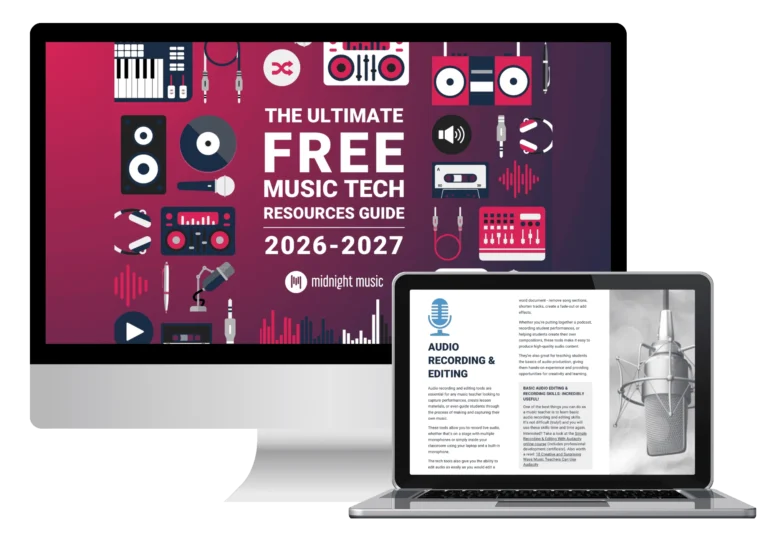
We hope you’ve enjoyed this roundup of some of the best online tools and tech for music teachers! If you liked these, you’ll like the hundreds of other free resources available inside the Ultimate Free Music Tech Resource Guide! And, if you’re someone who would like additional personalized support as you work to create a more tech-friendly music classroom, we’d love to invite you to join us inside the Midnight Music Community!
Have you tried any of these resources in your music classroom? What’s your favorite tool to use? Leave a comment below!
Want more resources for music tech teachers?
Hello! I’m Katie Argyle – an Australian music technology trainer and consultant with a passion for helping music teachers through my business Midnight Music.
I’m a qualified teacher but no, I don’t currently teach in a school. I help teachers through my online professional development space – the Midnight Music Community – where there are tutorial videos, courses, links and downloadable resources.

I like to focus on easy ways to incorporate technology into what you are already doing in your music curriculum through a range of creative projects. I also run live workshops and have presented at countless conferences and other music education events.
If you want simple, effective ideas for using technology in music education, I would LOVE to help you inside the Midnight Music Community.